Shopify Print on Demand India: Step-by-Step Setup Guide
Shopify is the undisputed king of e-commerce platforms, powering over millions of businesses worldwide. When paired with Merch Factory's automated fulfillment network, you can run a nationwide clothing brand from your laptop in a coffee shop without ever touching a piece of inventory.
While many apps exist on the Shopify App Store, running a POD business in India requires specific localized solutions (handling COD, pan-India couriers, high RTO rates, and GST compliance). Here is the definitive, step-by-step guide to setting up your Shopify POD integration with Merch Factory for maximum efficiency.
Step 1: The Initial Shopify Configuration
Before connecting Merch Factory, ensure your Shopify foundation is solid for the Indian market:
A. Store Currency: Set your store currency to INR (Indian Rupee) in Settings > Store Details.
B. Legal Pages: Go to Settings > Policies and generate your Refund, Privacy, Terms of Service, and Shipping policies. Indian payment gateways (like Razorpay/PhonePe) will reject your application if these pages are missing.
C. Contact Information: Ensure you have a working support email and a physical business address listed on your Contact Us page (a virtual office address is fine).
Step 2: Installing the Merch Factory Integration & Embedded App
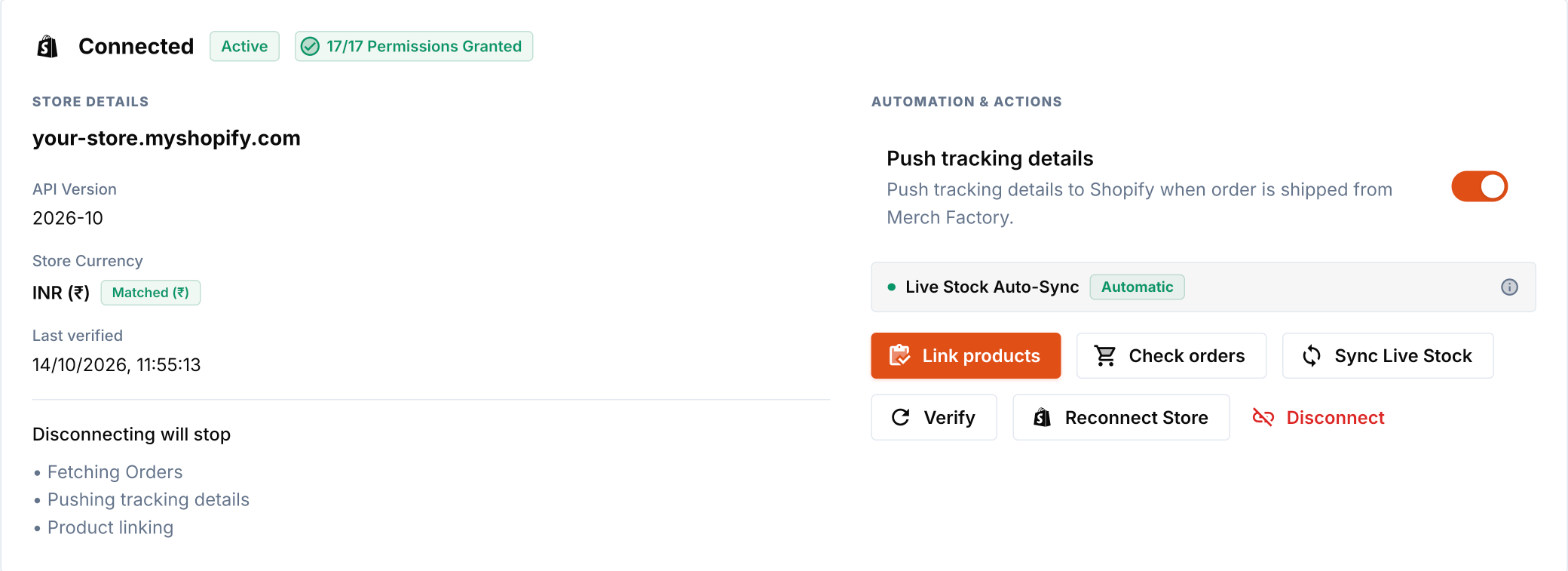
Forget manual CSV uploads and daily spreadsheets. The Merch Factory integration installs like any Shopify app and provides an Embedded App built on Shopify App Bridge and Polaris, letting you manage factory production directly inside your Shopify Admin.
1. Install Merch Factory: Print on Demand from the Shopify App Store (or click Connect Shopify Store on the Shopify page of your Merch Factory dashboard — it takes you to Shopify). Click Install and approve the permissions.
2. Open the app from Apps in your Shopify Admin. It asks you to link your Merch Factory account — press Link Merch Factory account.
3. Log in to Merch Factory (or sign up) in the tab that opens, then press Link Store to confirm which brand this store belongs to. You never type your store address.
4. Back in Shopify, press Refresh. Your orders appear and the Merch Factory portal is available under Apps from now on.
Step 3: Dual Catalog Setup — 1-Click Push vs. Variant Linking
Merch Factory gives you complete operational freedom by supporting two complementary catalog workflows:
Option A: 1-Click Push to Shopify
Best for rapid product launches and automated dropshipping.
1. Design your garment in the Merch Factory Product Designer and save it.
2. Go to Saved Products and click Push to Shopify.
3. Select retail pricing, garment colors, and size options.
4. Merch Factory automatically generates studio mockups, variant matrices, and descriptions directly in your Shopify catalog!
Option B: Link Existing Shopify Variants
Best for established brands with custom photoshoots, bespoke themes, or custom SEO metadata.
1. Create your product natively in Shopify with custom photos and copy.
2. Open Shopify > Products in Merch Factory.
3. Click Link Variants on the corresponding product.
4. Map sizes to Merch Factory blanks. Your custom page design stays 100% untouched while backend fulfillment is linked!
Step 4: Automatic Stock & Warehouse Inventory Synchronization
Nothing hurts a brand more than selling an out-of-stock size. Whenever our factory updates the availability of a garment colour or size, Merch Factory automatically pushes a matching status to your Shopify location — 100 for in stock, 5 for low stock, 0 for out of stock. You never see (or expose) our raw inventory, and customers cannot keep buying sizes we cannot make. You can also press Sync stock in the dashboard or embedded app at any time.
Step 5: Setting Up Shipping Zones for India
Merch Factory ships Pan-India using premium Tier-1 couriers (Delhivery, Bluedart, Amazon Shipping). However, you need to configure what your customer pays at checkout.
Go to Shopify Admin Settings > Shipping and Delivery. Create a shipping profile for India. We highly recommend offering Free Prepaid Shippingto boost conversion rates (simply add the ₹60-₹80 shipping cost into your t-shirt's retail price). For Cash on Delivery (COD), charge a flat ₹99 fee to discourage non-serious buyers and cover the courier COD handling charge.
Step 6: The Automated Fulfillment & Status Tagging Flow
Once your store is live, fulfillment runs with full bi-directional synchronization:
Customer Purchases: An order is placed on your Shopify storefront.
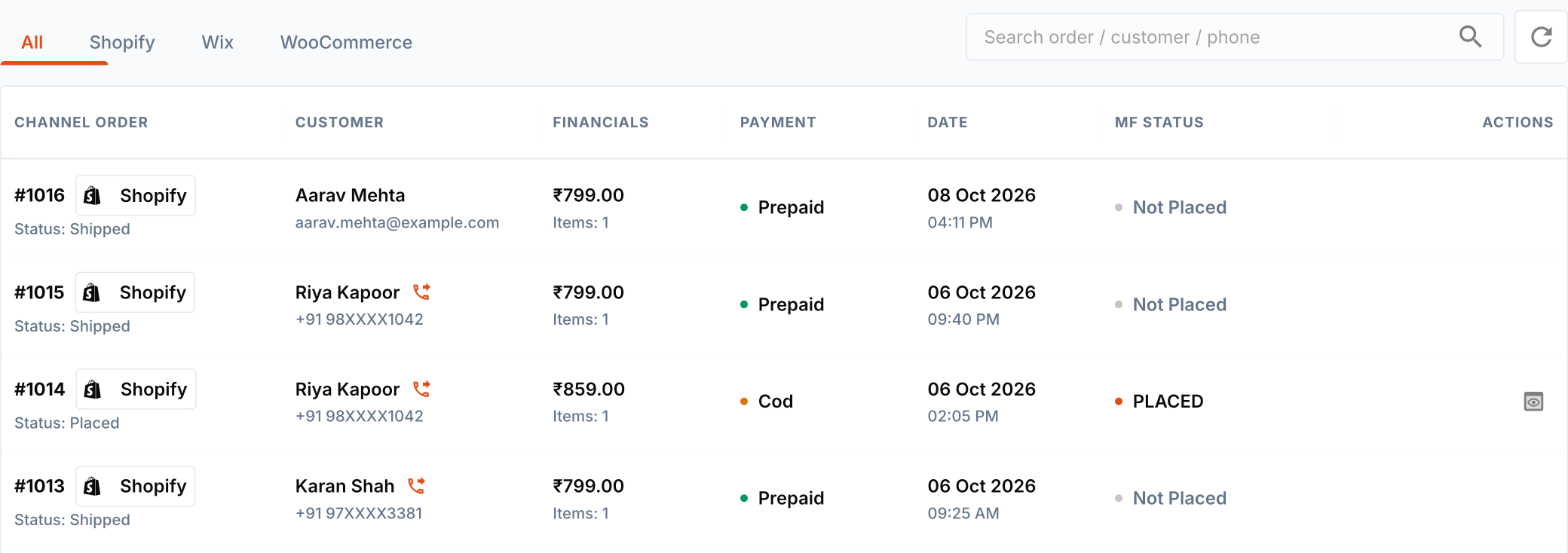
Order Sync: When you open Shopify Orders in Merch Factory (or the embedded app, or press Sync), your latest orders are securely fetched from Shopify into your staging queue, with delivery addresses and linked items checked. Cancelled orders are detected and can no longer be placed.
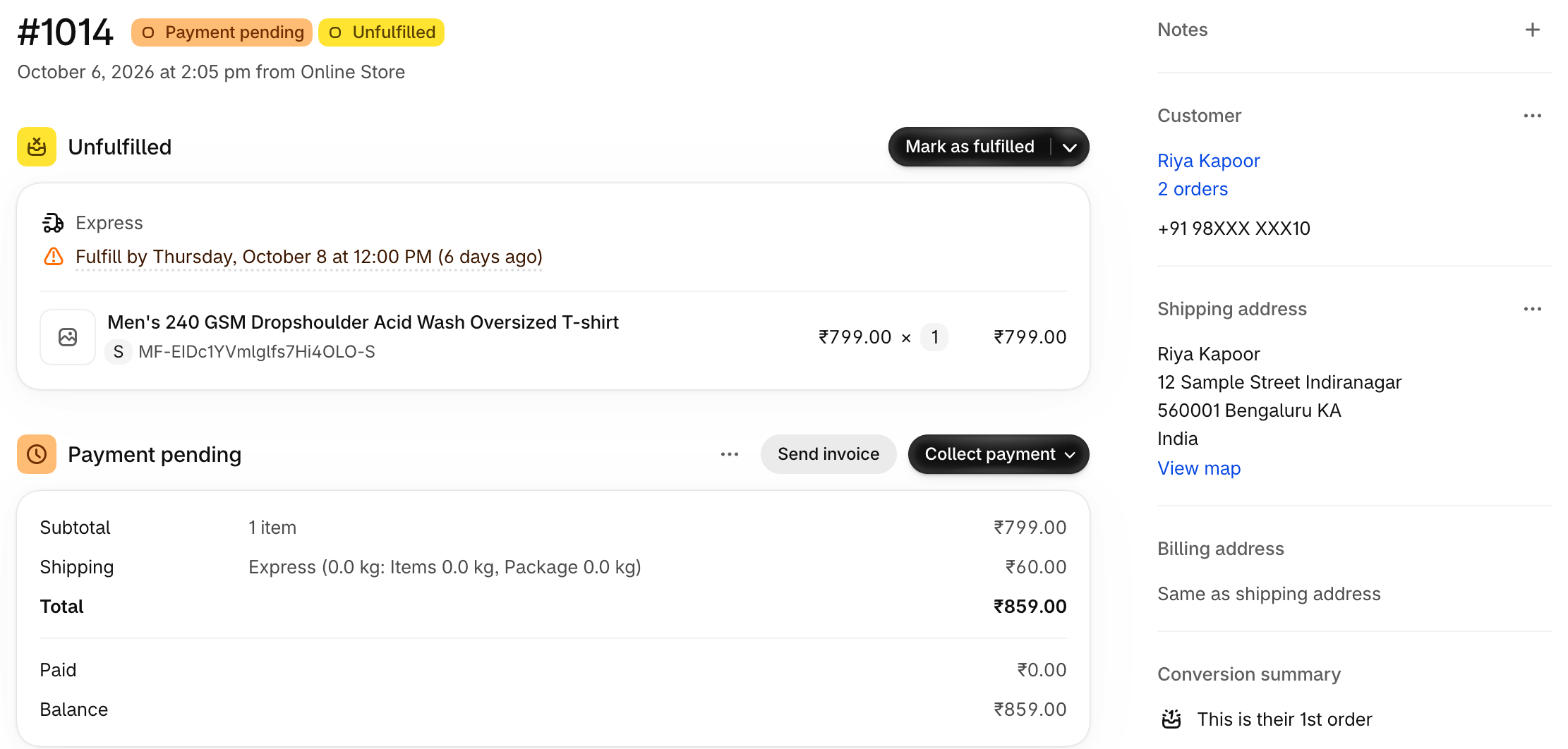
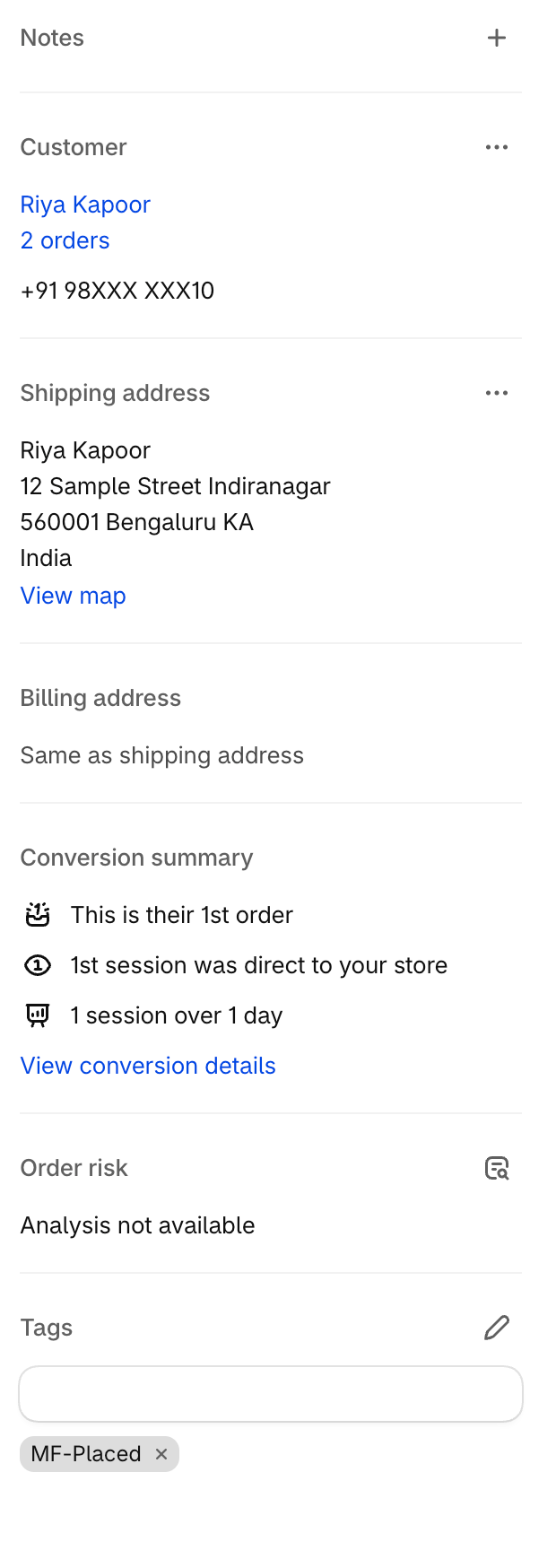
1-Click Placement & Live Status Tagging: Click "Place Order" on any order you want fulfilled — nothing is produced until you do. The base manufacturing cost is deducted from your wallet balance, and the Shopify order is automatically tagged with MF-In-Production.
Industrial DTF Printing & Dispatch: We print, QC inspect, pack in your custom white-label packaging, and dispatch within 24–48 hours.
Fulfillment Tracking Push: Merch Factory pushes the courier AWB number and live tracking link back to Shopify, updating the order to Fulfilled, adding the tag MF-Shipped, and triggering your customer's shipping confirmation email. When the courier delivers, the Shopify fulfillment shows Delivered and the order is tagged MF-Delivered; failed delivery attempts and returns (MF-RTO) are reported too.
What Syncs Between Shopify and Merch Factory (and When)
Orders (Shopify → Merch Factory): pulled when you open Shopify Orders, open the embedded app, or press Sync — not pushed instantly. Open it a few times a day, or whenever you expect orders.
Live stock (Merch Factory → Shopify): sent automatically whenever factory availability changes, and on demand with Sync stock.
Tracking (Merch Factory → Shopify): sent automatically the moment your order ships, if "Auto-update tracking" is on in your Shopify settings.
Delivery, failed attempts and returns (Merch Factory → Shopify): sent automatically as the courier reports them (same setting).
Status tags (Merch Factory → Shopify): MF-In-Production, MF-Shipped, MF-Delivered, MF-NDR-Action-Required, MF-RTO.
Products: created or linked by you (Push to Shopify or Link Variants); we never edit products you did not link.
Step 7: Handling Cash on Delivery (COD) & RTO Protection
In India, COD is essential. Merch Factory offers a dedicated COD wallet system. When a customer places a COD order, you pay the base manufacturing cost upfront to initiate production. Once the courier delivers the parcel and collects the cash, Merch Factory remits the collected amount back into your wallet within standard courier remittance cycles. In the event of an RTO (Return to Origin), the parcel is safely stored in our warehouse and stocked into your digital inventory for zero-cost re-dispatch.
Ready to Automate Your Shopify Brand?
Stop worrying about stock-outs, screen-printing minimums, and shipping headaches. Let Merch Factory handle the logistics while you focus on scaling your brand.
Connect Your Shopify StoreCommon Questions (FAQ)
Automate Your Brand with Merch Factory
Ready to move from research to action? Connect your online store in under 15 minutes and automate your entire fulfillment process.
Related Guides
How to Start a Clothing Brand in India (2026 Ultimate Guide)
Thinking of launching your own apparel line? This guide covers everything from legal registration to choosing Merch Factory as your 100% automated POD partner.
Read guideT-shirt Printing Cost in India 2026: Full Price Breakdown [DTF, Screen, Fabric]
T-shirt printing in India starts from ₹79/print (DTF). We reveal the full 2026 cost breakdown — 220 GSM vs 240 GSM blanks, screen vs DTF, RTO losses, COD fees & real profit margins. Updated June 2026.
Read guide